iPhone / Photo & Video
Sunfall
Sunfall tells you when the good light happens where you are, where on the horizon it will come from, and what the moon is doing once the sun has gone. Every time is computed on the phone. There is no account, no server, and nothing to sign in to.
Available now. $4.99 USD, paid once. No subscription or in-app purchases. For iPhone with iOS 17 or later.
- Idea to finished build
- 24 h
- Network calls at rest
- 0
- Solar values checked
- 588
- Lunar values checked
- 8,190
01 / The app
One screen that answers the question.
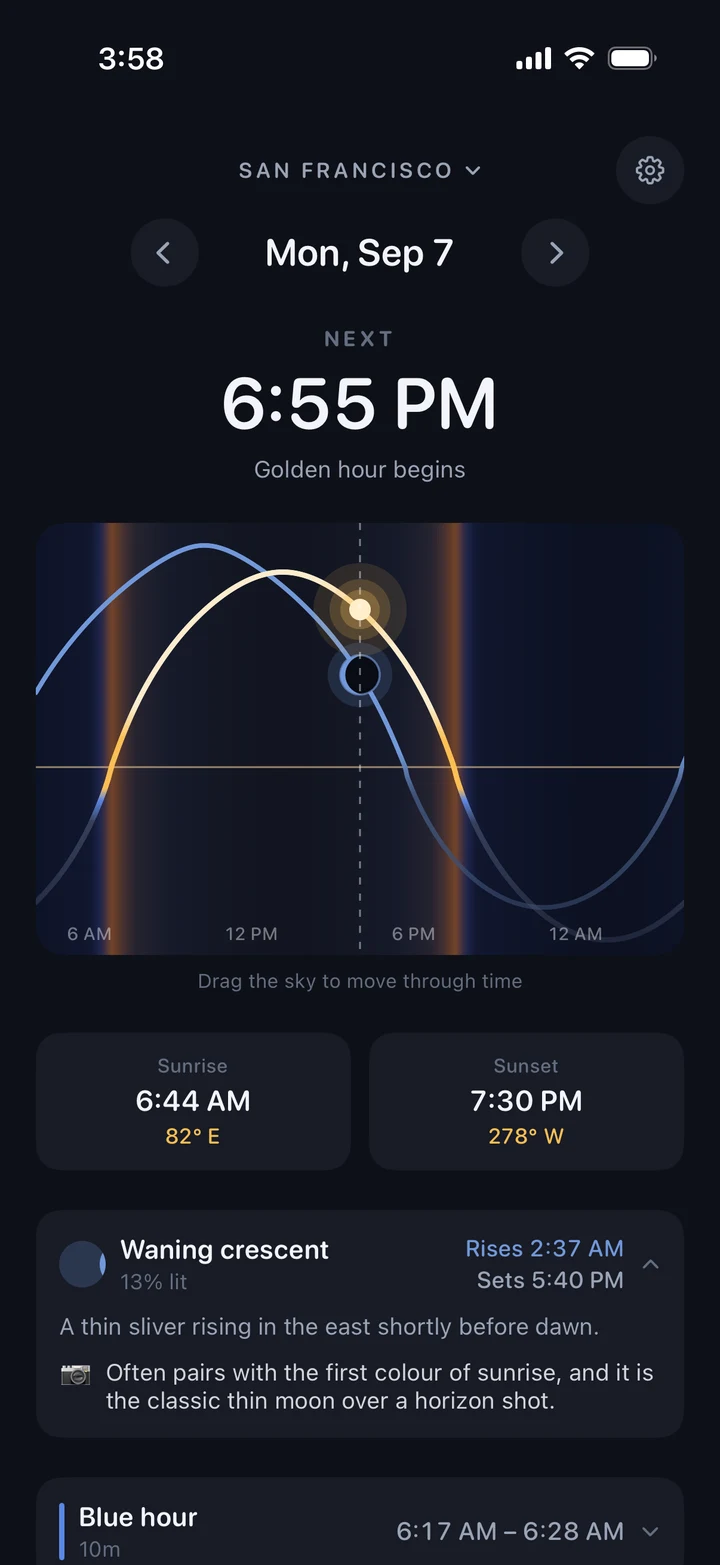
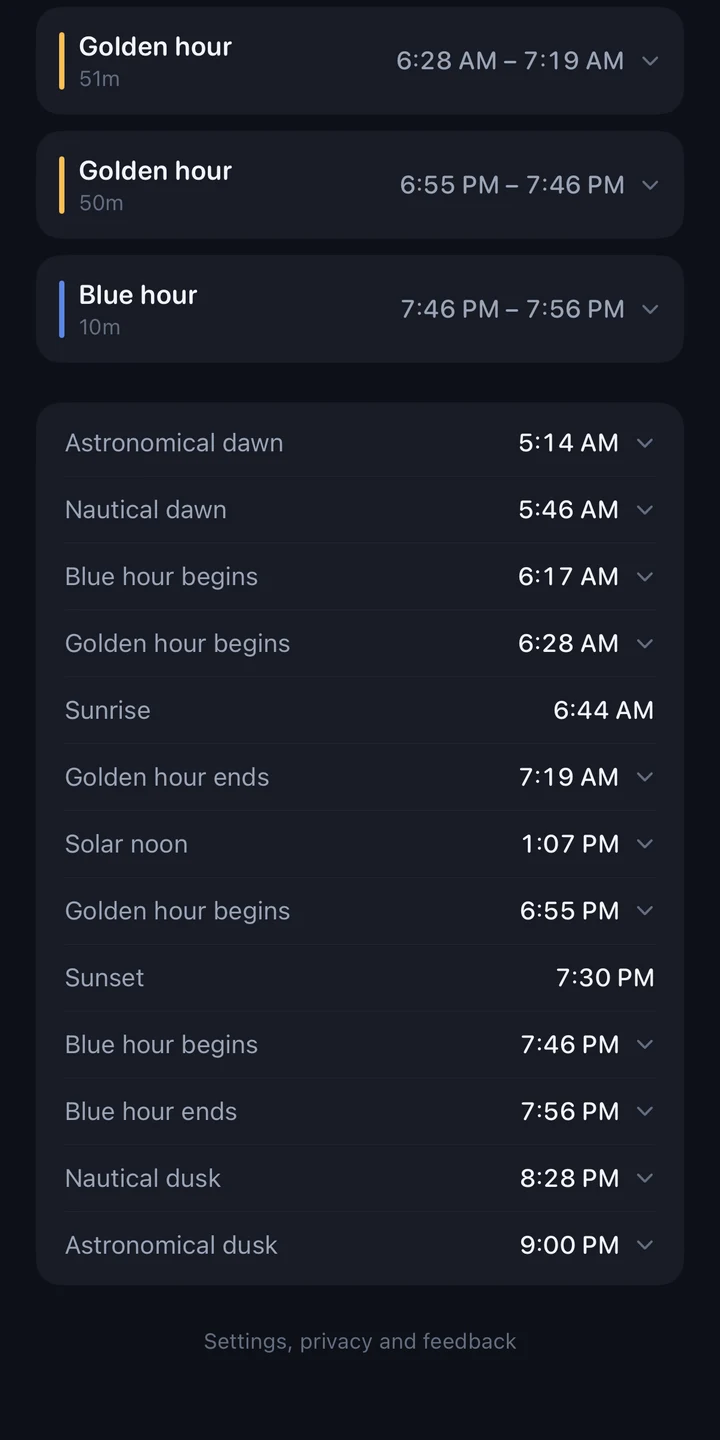
Most sun apps make you assemble the answer from a table. Sunfall opens on what the light is doing right now, what happens next, and how far away it is.
- Platform
- iPhone, iOS 17 and later
- Built with
- Swift and SwiftUI, no third party code
- Works offline
- Everything except searching a place by name
- Price
- $4.99 USD once, no in-app purchases
02 / Scope
Small on purpose.
Sunfall answers one question well rather than ten questions badly. There is no feed, no social layer, no subscription and no onboarding carousel.
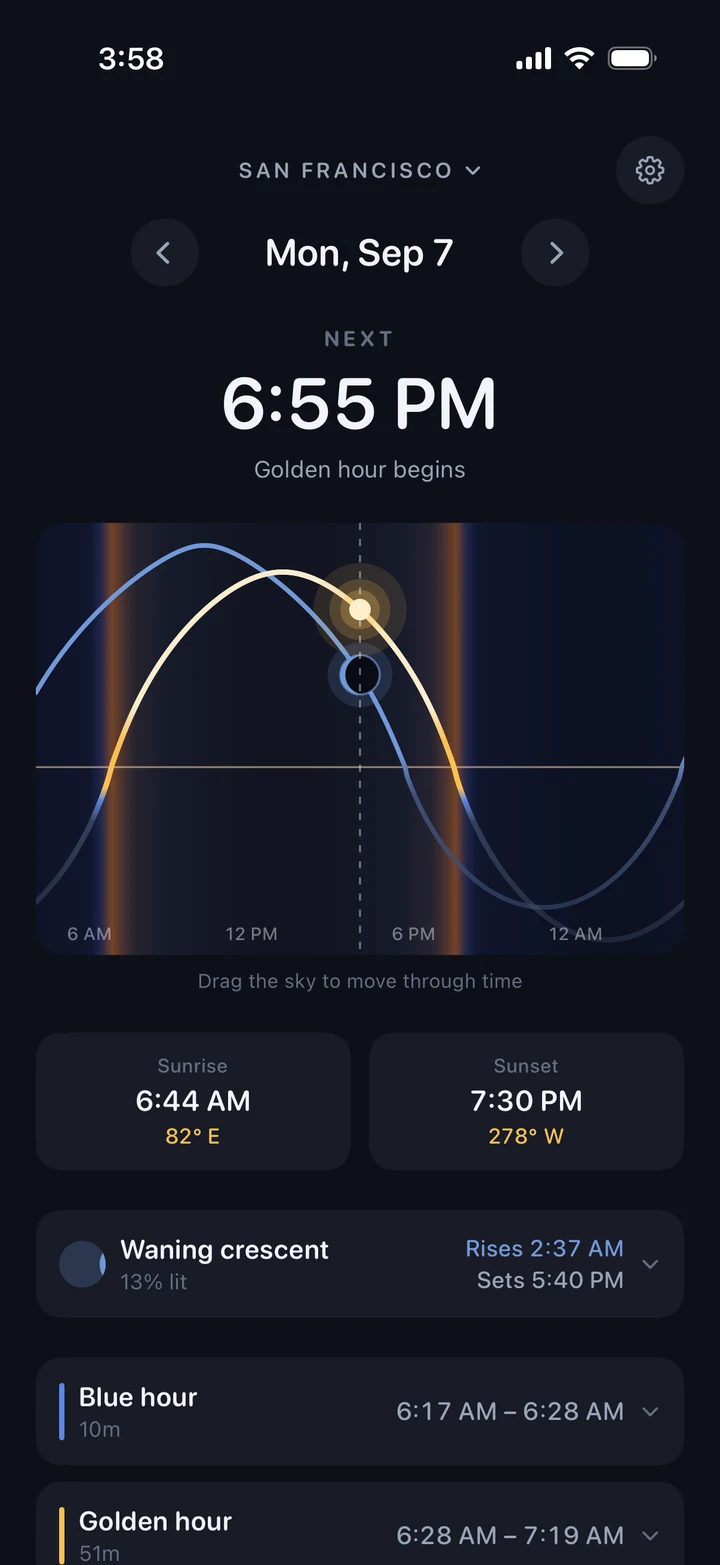
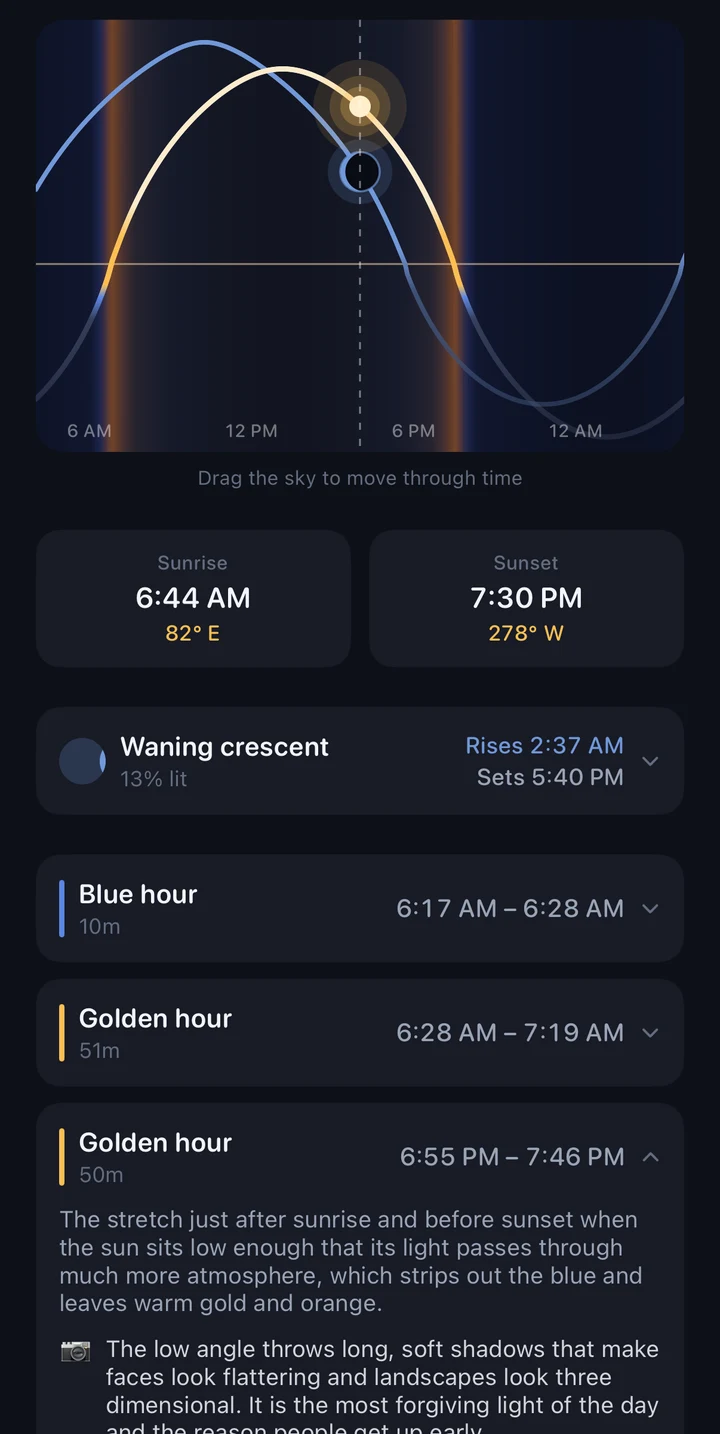
- Light windowsGolden hour and blue hour, morning and evening, with durations.
- BearingsSunrise and sunset compass bearings, so you know which way to point the camera, not only when.
- The moonAltitude, bearing, phase, percent lit, moonrise and moonset.
- TwilightCivil, nautical and astronomical, at both ends of the day.
- Any dateStep forward or back to plan a shoot, or drag the sky to scrub through time.
- Any placeSearch a city, save it, and see its light in its own local time.
- One reminderOptional, thirty minutes before evening golden hour. Nothing else ever notifies you.
03 / Constraint
It works in a canyon with no bars.
The places worth photographing are usually the places with no signal, so the app was built to need none. Sun and moon positions are astronomy, not data: given a time and a coordinate, the answer is computable on the device in a millisecond. Nothing is fetched, so nothing can fail to arrive.
That constraint decided the privacy story too, rather than the other way around. There is no Sunfall server to send a location to, no account, no analytics and no third party code in the app at all. The one network call Sunfall can make is the place search you type yourself, which Apple's geocoder answers. Saved places keep working offline afterwards.
The privacy policy says the same thing in more words.
04 / Correctness
An app like this is only worth having if it is right.
A sun app that is quietly twenty minutes out is worse than no sun app, because you will believe it and miss the light. So the engines were treated as the product and checked against references that were written by other people.
| Engine | Checked against | Agreement | Values |
|---|---|---|---|
| Sun, NOAA algorithm | astral, ten cities from the equator to Anchorage | within 2.2 min | n/a |
| Sun, Swift port | the validated Python reference | bit for bit | 588 |
| Moon, Meeus ch. 47 and 48 | Skyfield against the JPL DE421 ephemeris | 0.014° altitude, 0.054° azimuth | n/a |
| Moon, Swift port | the validated Python reference | byte identical | 8,190 |
Those numbers are now golden master tests, so a refactor that moves any of them fails the build. Sunfall also reports honestly at the edges: north of the Arctic Circle in midwinter it will tell you the sun does not rise, rather than inventing a sunrise to fill the field.
05 / Process
Built in a day, on purpose.
Sunfall exists because I wanted to learn the whole iOS pipeline end to end, from an empty folder to a signed build sitting in App Store Connect, and the fastest way to learn a pipeline is to push something real through it. Market share was never the goal. Finishing was.
The interesting part was not the SwiftUI. It was the three bugs that only turned up when the numbers were checked against something independent, the fourth that only turned up by opening the app after dark, and the one step in the whole chain that cannot be automated at all.